Vector
Skill
Listing
Canvas
Command
Issue
Listing
Field
Video
Card Definition
Theme
Vector
Command
Hosting Config
Published Site
Video
Formula
Published Site
Formats
Skill
Canvas
Agent Session
Issue
3D Model
Video
3D Model
Card Instance
Listing
Command
Published Site
Field
HTML Prototype
Audio
Vector
Agent Session
Canvas
Boxel Credit
Data Import
Formula
Wiki
Table
Theme
Canvas
Boxel Credit
Audio
Query
Formats
Agent Session
Hosting Config
Published Site
Skill
HTML Prototype
Procedural 3D
Flow
Data Import
Font
HTML Prototype
Audio
Font
Query
Published Site
Font
HTML Prototype
Vector
Agent Session
Table
Skill
Table
Formats
HTML Prototype
3D Model
Vector
Published Site
Wiki
Flow
Issue
Procedural 3D
Card Instance
Wiki
Data Import
BFM Document
Card Instance
Command
Listing
Formula
Card Definition
Table
Procedural 3D
Card Definition
Vector
Published Site
Hosting Config
Formats
Query
Published Site
Hosting Config
HTML Prototype
Query
Issue
Theme
HTML Prototype
Data Import
Formula
HTML Prototype
Listing
Canvas
Flow
Issue
BFM Document
Issue
Published Site
Field
Command
Table
Formula
Command
BFM Document
Field
Boxel Credit
Skill
Issue
Agent Session
Canvas
Table
Video
Card Instance
Formula
Canvas
Table
Field
Agent Session
BFM Document
Video
Theme
Table
Published Site
Boxel Credit
Skill
Query
Procedural 3D
Agent Session
Flow
3D Model
HTML Prototype
Wiki
Canvas
HTML Prototype
Procedural 3D
Formats
Theme
Audio
Card Instance
Skill
Formula
3D Model
Listing
Font
Hosting Config
Agent Session
Flow
Font
BFM Document
Hosting Config
Field
Theme
Field
Agent Session
Boxel Credit
Field
Card Definition
Wiki
Boxel Credit
Agent Session
Formula
Published Site
Query
BFM Document
Data Import
Audio
Vector
Procedural 3D
Formula
Issue
Hosting Config
Data Import
Listing
Vector
Wiki
Agent Session
Font
Formula
Flow
Font
3D Model
Formats
Theme
Vector
Boxel Credit
Canvas
Data Import
BFM Document
Theme
Formats
3D Model
Hosting Config
Issue
Formats
Canvas
Hosting Config
Card Definition
Boxel Credit
Data Import
Table
Flow
Boxel Credit
Flow
Listing
Flow
Field
Flow
Query
BFM Document
Flow
Theme
Canvas
Formats
Listing
Formats
HTML Prototype
Command
Issue
BFM Document
Card Definition
Theme
Card Definition
Card Instance
Hosting Config
Command
Theme
Flow
3D Model
Card Definition
Hosting Config
Video
Audio
Card Instance
Query
Issue
3D Model
Video
Boxel Credit
BFM Document
Vector
Published Site
Audio
Command
Font
BFM Document
Formula
Boxel Credit
Data Import
Table
Video
Listing
Agent Session
Card Definition
Flow
Query
Card Instance
Boxel Credit
Listing
Table
Skill
Query
Procedural 3D
Vector
Procedural 3D
Command
Card Instance
Formats
Procedural 3D
Field
Hosting Config
Card Instance
Vector
Agent Session
3D Model
Audio
Theme
Command
HTML Prototype
Card Definition
Issue
Theme
3D Model
Font
Listing
Font
Query
Command
HTML Prototype
Command
3D Model
Font
3D Model
Audio
Boxel Credit
Canvas
Command
Audio
Query
Formats
Wiki
Skill
Canvas
HTML Prototype
Card Definition
BFM Document
Video
Audio
Formats
Wiki
Card Instance
Table
Wiki
Data Import
Font
Skill
Flow
Published Site
Wiki
Card Instance
Wiki
BFM Document
Wiki
Issue
Formula
Wiki
Boxel Credit
Theme
Field
Formula
Card Definition
Hosting Config
Data Import
Wiki
Canvas
BFM Document
Video
Procedural 3D
Video
Card Instance
Listing
Field
Audio
Vector
Issue
Procedural 3D
Field
Skill
Formula
Formats
Listing
Font
3D Model
Hosting Config
Card Definition
Audio
Query
Procedural 3D
Video
Query
Procedural 3D
Audio
Skill

Build software with AI. Then actually use it.

Boxel is the collaboration space where you and your agent make working apps, documents, and tools — with real data, reusable code, and instant feedback.
Give your agent a workspace, not just a chat window.

Chat forgets. A workspace accumulates — files, data, skills, and working software that both of you can see. And because code and data live side by side, the code you deposit upgrades what the workspace itself can do.

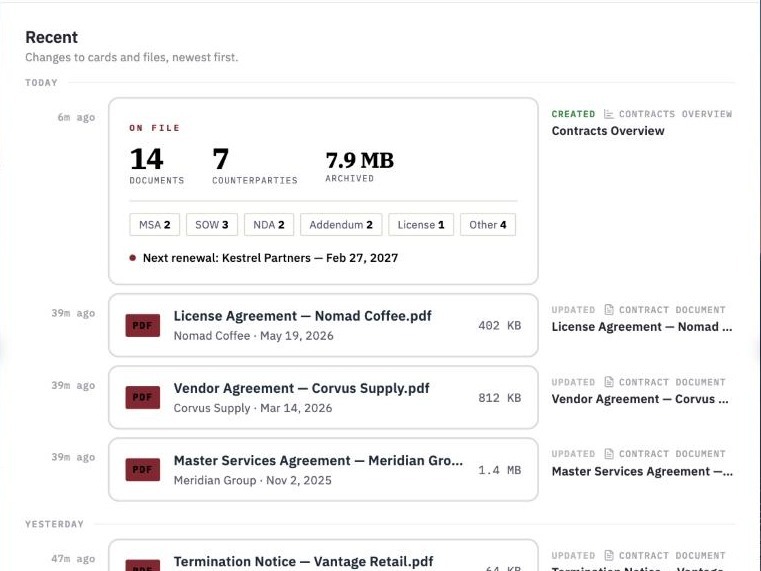
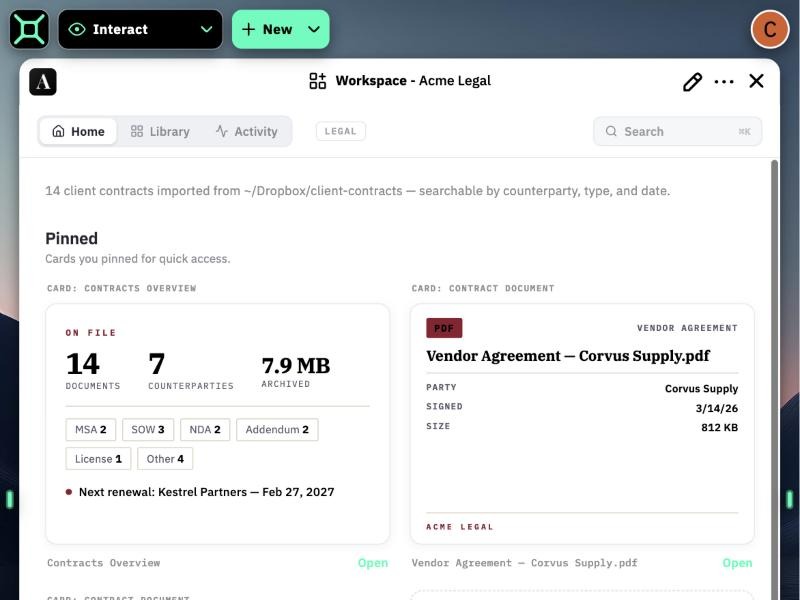
  1. STORE Documents and files

    14 files written — Word docs and PDFs, indexed and searchable.

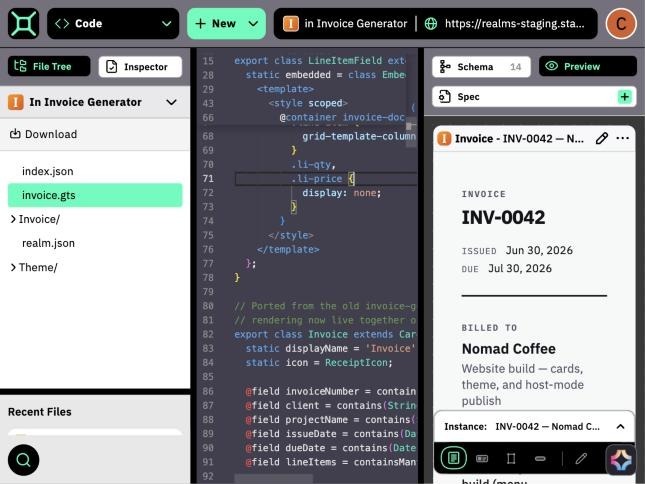
  2. CODE Deposit code

    Ported to cards — source is in the workspace and the preview is live.

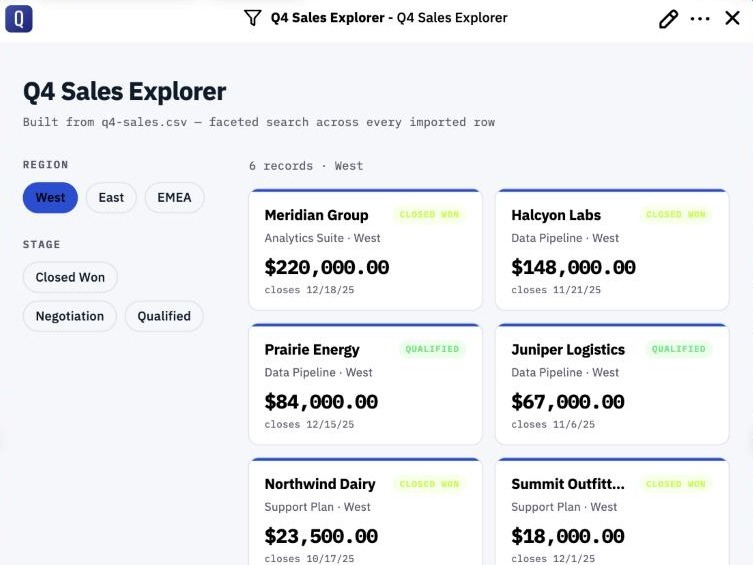
  3. DATA Import data

    812 rows became cards — faceted search is wired up.

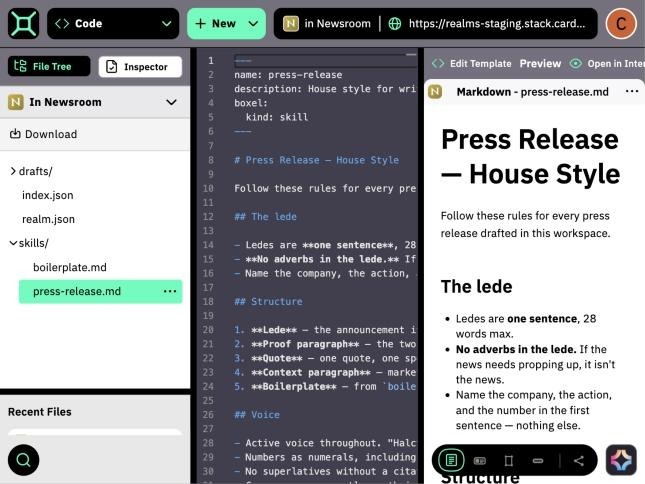
  4. SKILLS Write skills

    Updated press-release.md — the skill now enforces one-sentence ledes.

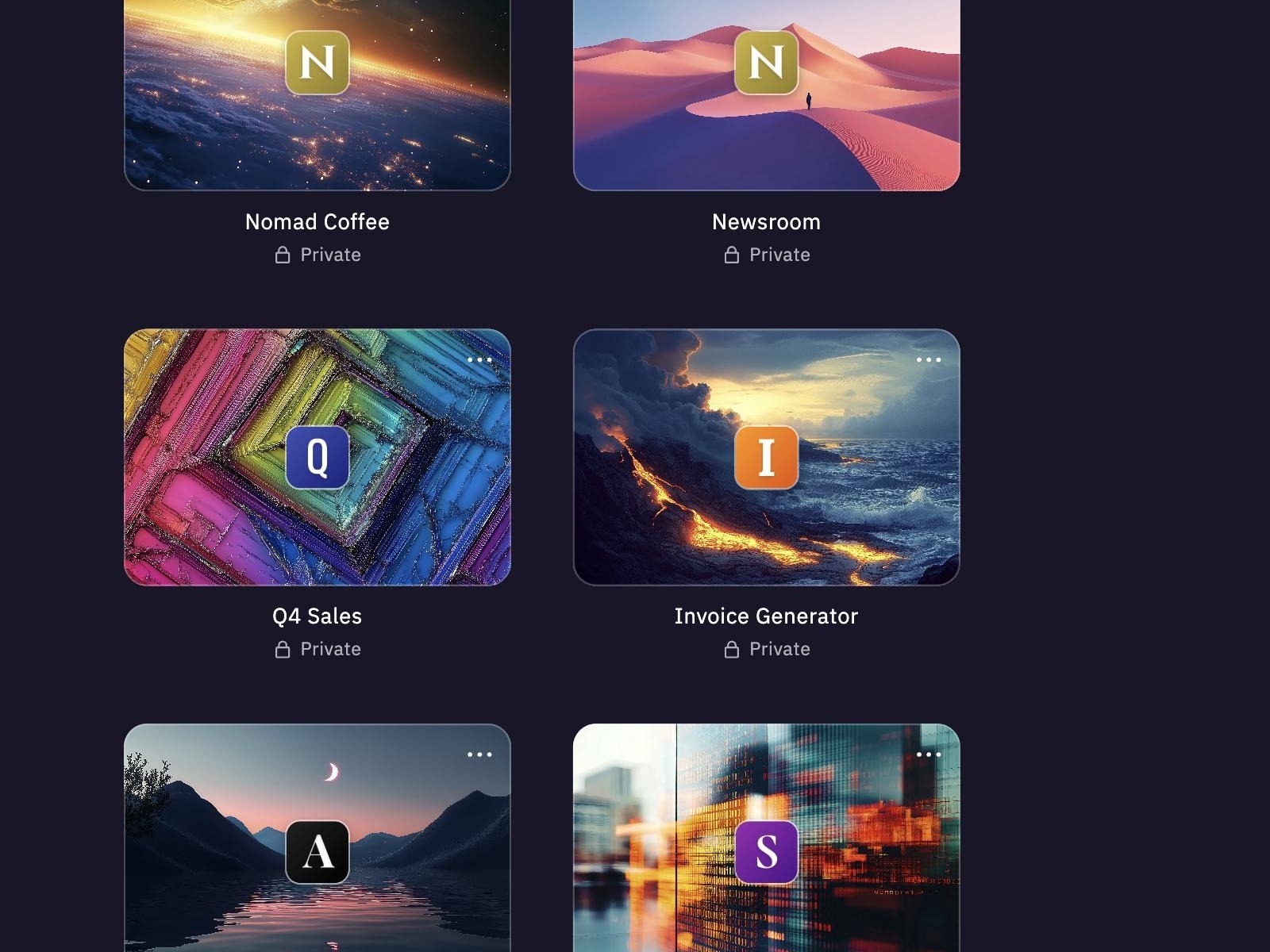
  5. WORKSPACES Compartmentalize projects

    Found it in halden-legal — opening the card.

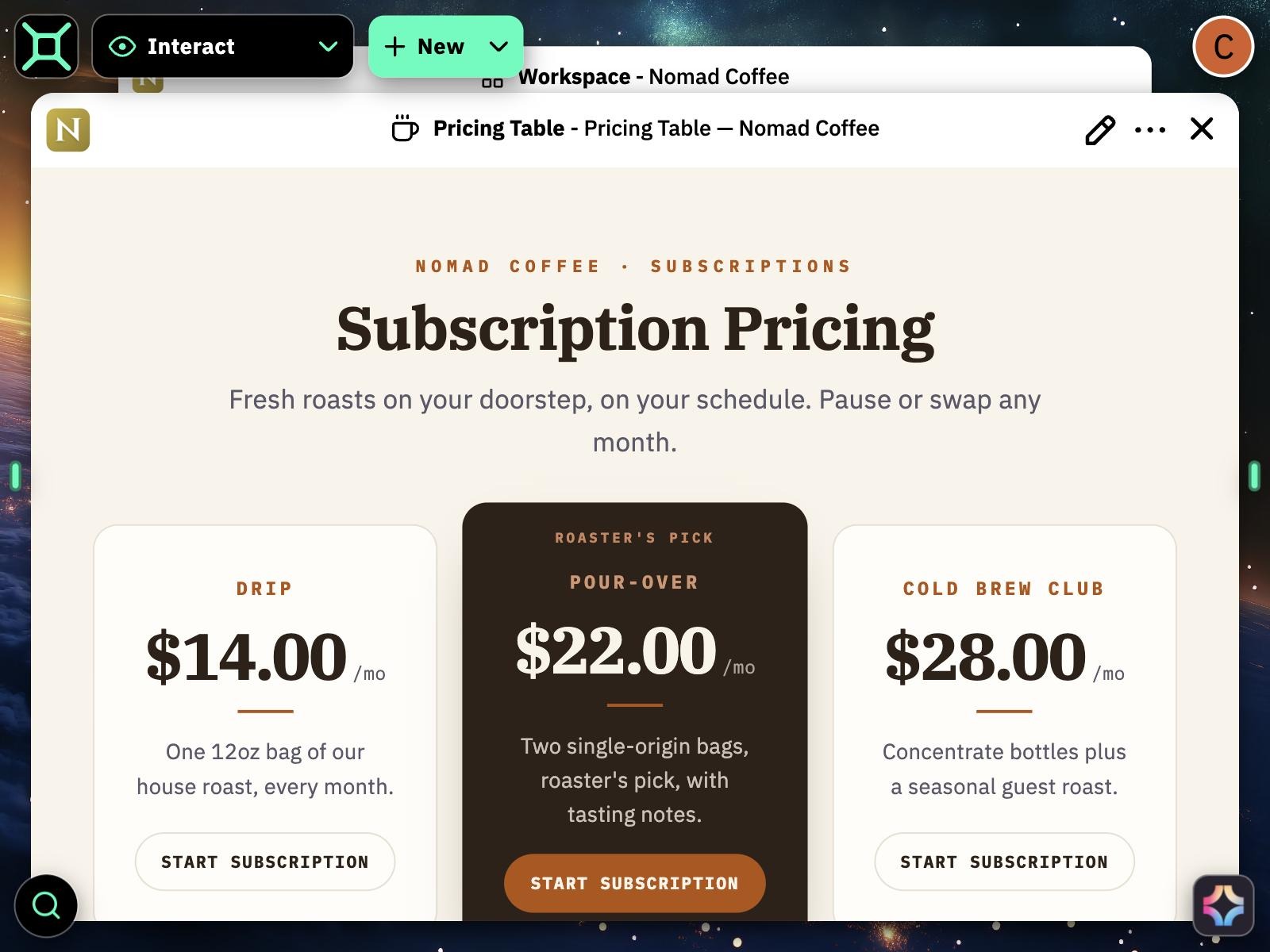
  6. AGENT Everything you’ve made

    Found PricingTable in nomad-coffee — linked into this project.

  7. CLOUD In the cloud

    In your realm on boxel.ai — synced, indexed, and backed up.

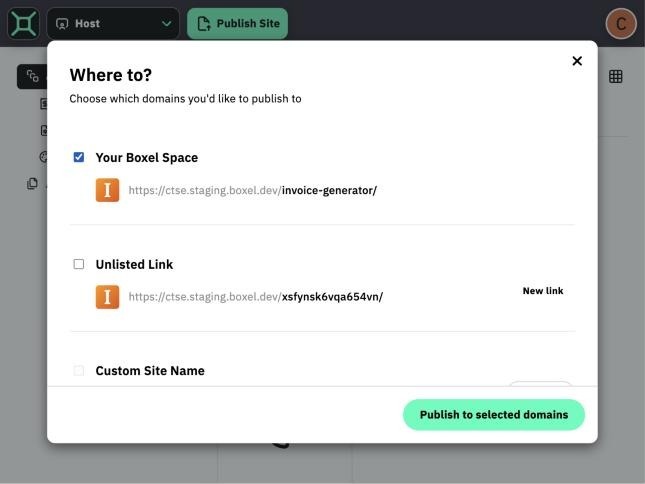
  8. SHARE Host and remix

    Live in host mode — visitors get the app, plus a Remix button.

Boxel — Documents and files
Documents and files
Boxel — Deposit code
Deposit code
Boxel — Import data
Import data
Boxel — Write skills
Write skills
Boxel — Compartmentalize projects
Compartmentalize projects
Boxel — Everything you’ve made
Everything you’ve made
Boxel — In the cloud
In the cloud
Boxel — Host and remix
Host and remix
Agent CLI

Use Boxel with the agent you already pay for, trust, and know.

Your agent interacts with the workspace through a full-featured CLI. You ask in plain English — it writes the boxel commands. Already pay for Claude Code or Codex? The open-source Boxel CLI connects them straight to your workspaces.

Quickstart — copy one prompt into your agent

Set up Boxel for me: install the CLI with `npm install -g @cardstack/boxel-cli`, connect my account with `boxel profile add` (Production, app.boxel.ai), and add the Boxel skills with `/plugin marketplace add cardstack/boxel` then `/plugin install boxel-cli`. Verify by running `boxel realm list` and show me my workspaces.

Paste it into Claude Code or Codex — your agent runs the install, connects your account, and confirms.

View on GitHub — MIT licensed, open source
claude — ~/halden-shop

All Commands

realm create Spin up a new workspace
realm pull Download a workspace to your machine
realm push Upload local changes to Boxel
realm sync Bidirectional sync with conflict resolution
realm watch Pull server-side changes in real-time
realm history Checkpoints, undo, and restore
realm publish Publish a live, public copy — host mode
realm ingest-card Copy a card and its deps from any realm
file read / write Read and write individual realm files
lint Lint a whole workspace, or one file
parse Type-check cards before you push
test Run card test suites headlessly
search Federated search across workspaces
run-command Run a host command from the CLI
realm list Browse your workspaces
profile Manage accounts and environments
AI-Native Stack

Legacy stacks weren't built for AI.

Built on Cardstack

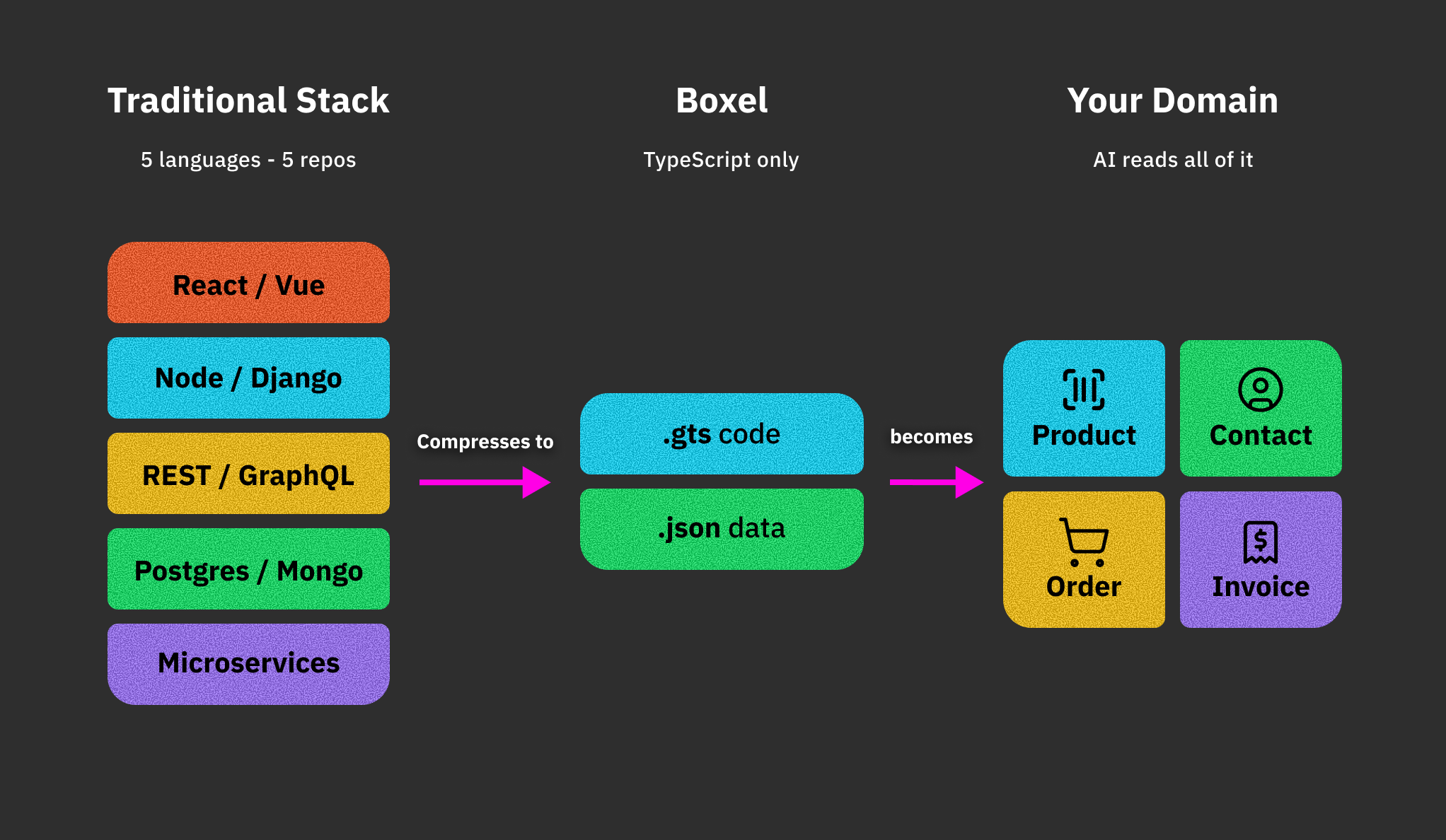
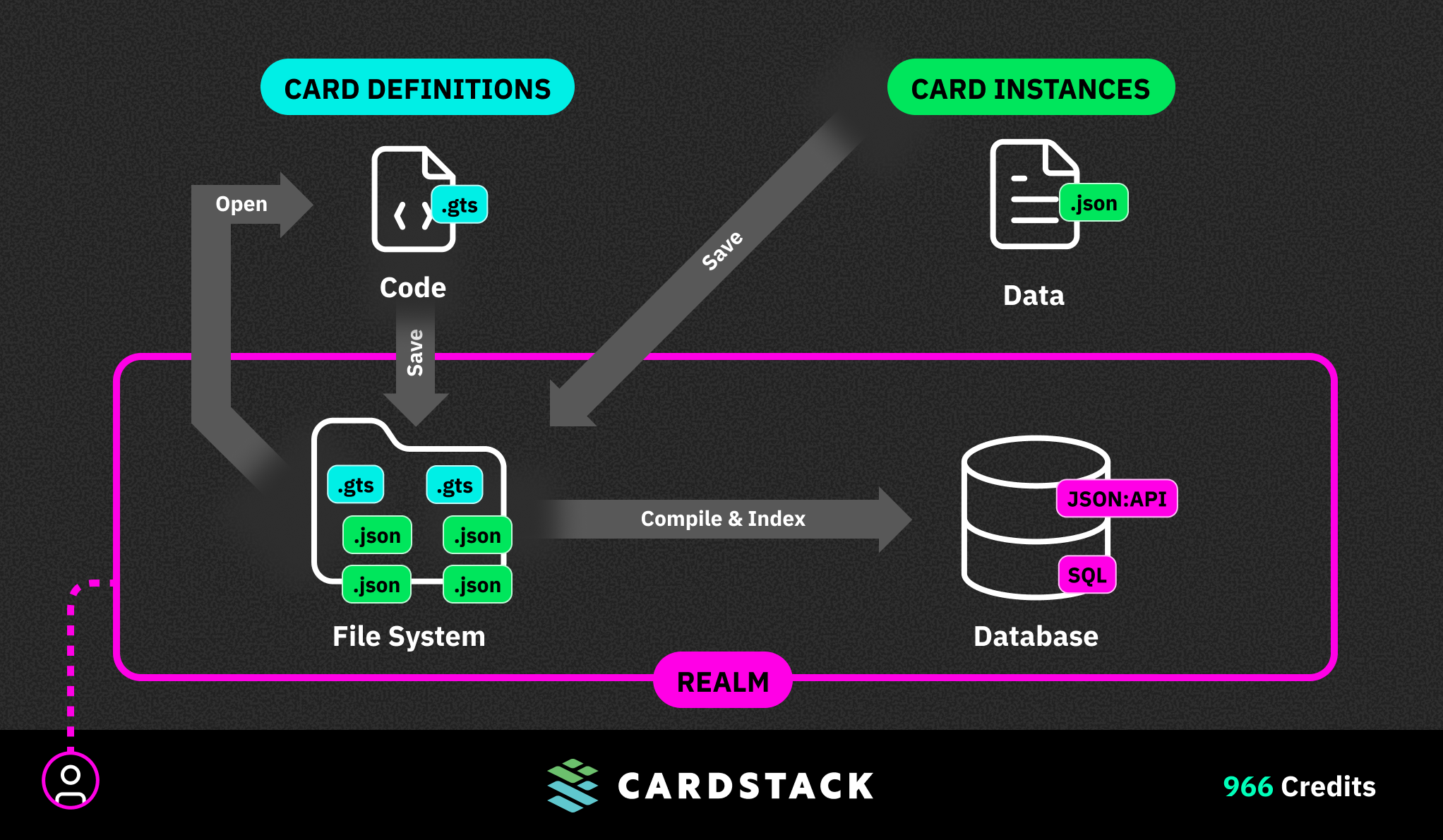
AI excels at reading and writing files. So we built an architecture where one file type defines your entire application—schema, templates, relationships, and commands.

  • Two file types: JSON for data, TypeScript for logic
  • AI-native formats: Both are in every LLM's training corpus
  • One file, all layers: Schema, UI, and logic live together
Memory

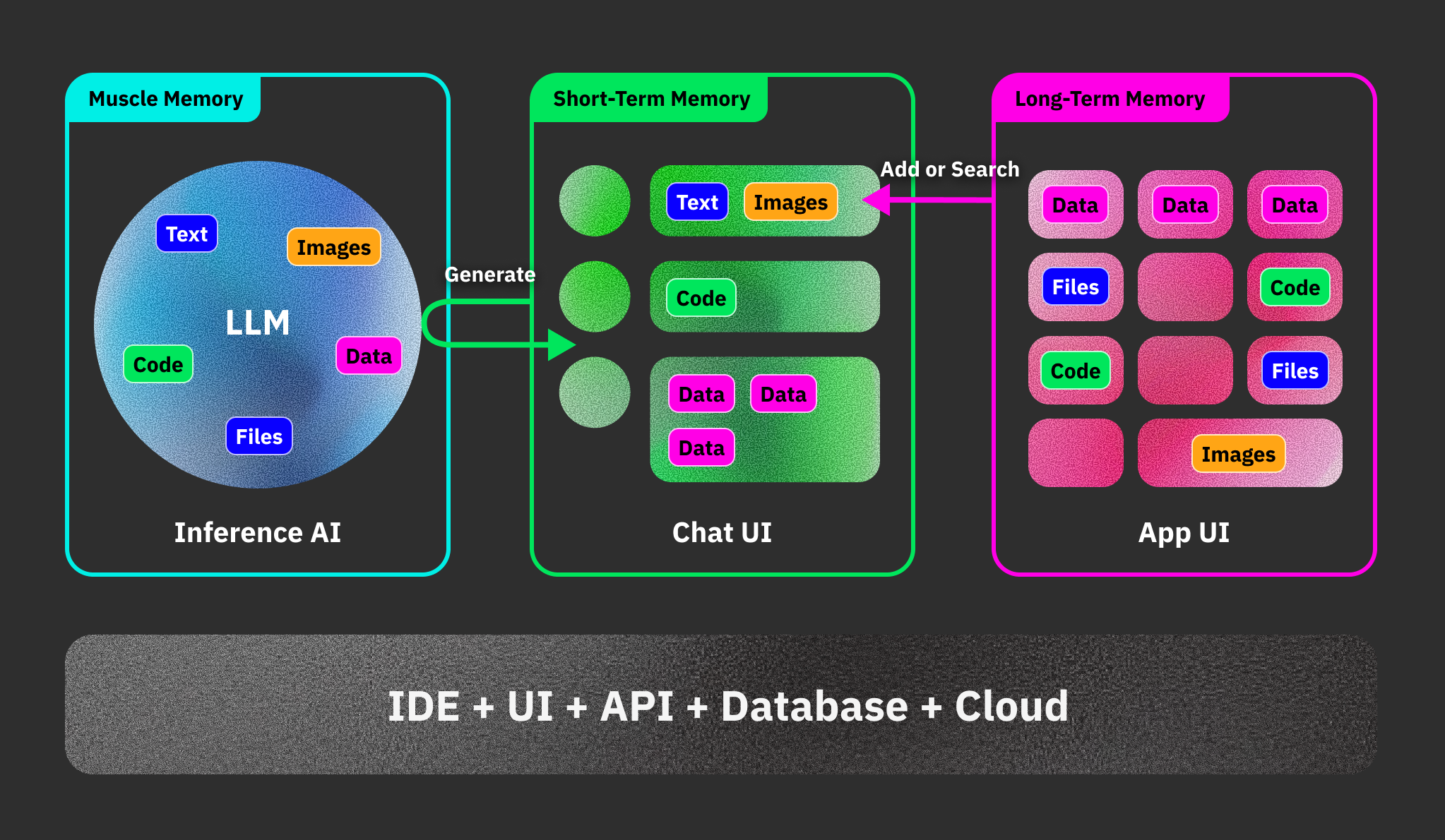
Workspace memory that persists.

In other tools, chat IS your project. Lose the chat, lose the work. Boxel inverts this: the workspace remembers, sessions are disposable helpers you summon and discard.

Database

The database that builds itself.

Data is just JSON. AI outputs JSON, we index it automatically into a queryable database. No Supabase, no migrations, no SQL.

Context

AI that understands your app.

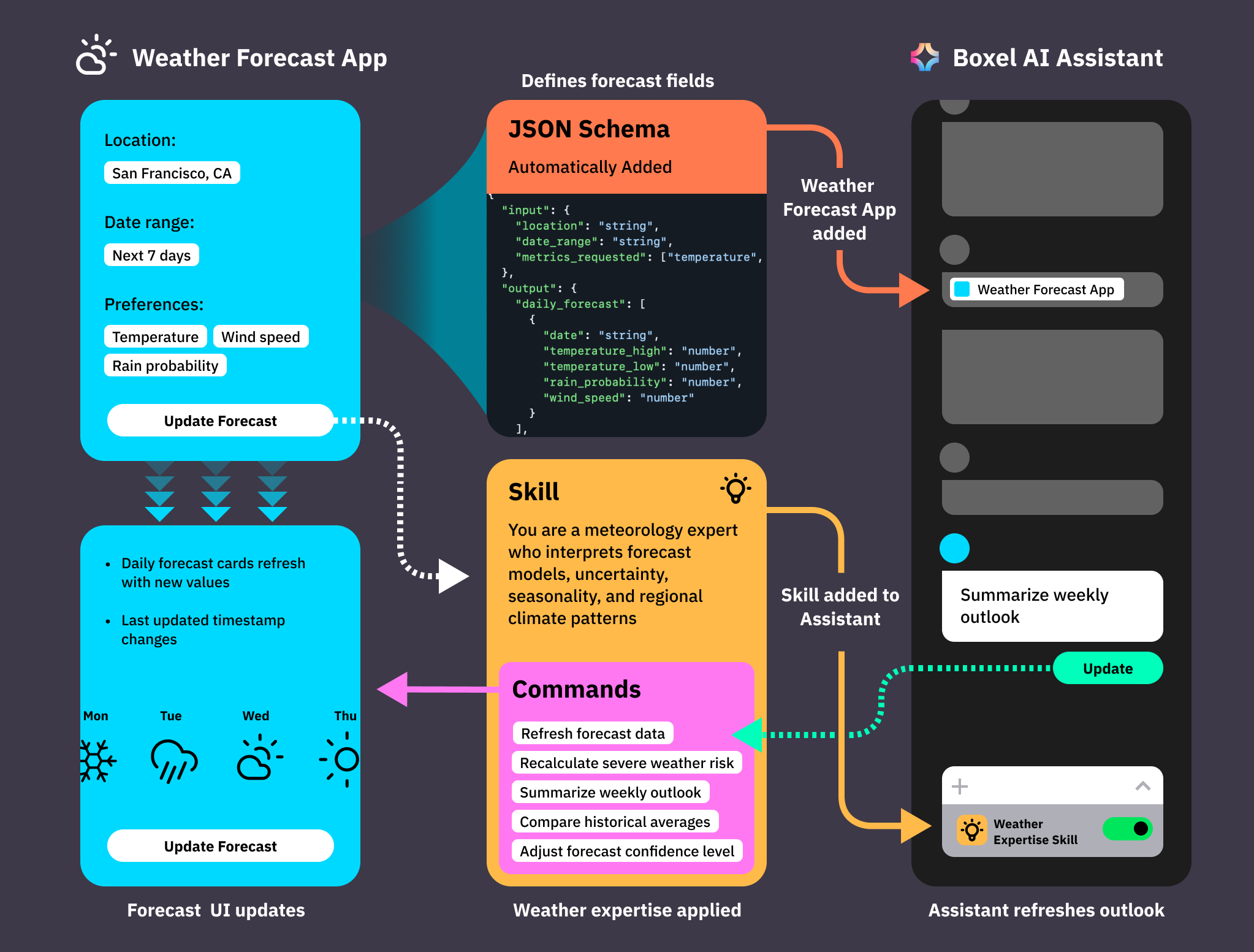
Current AI tools are "brains in a jar"—floating outside your actual data. Boxel's assistant reads your schema, inspects your Cards, and accesses code when needed.

What will you build?

The transition from human-written to AI-generated software will be one of the most significant shifts in technology history. The constraint isn't architecture anymore. It's imagination.

Explore

Open a workspace and ask the AI to build something.

Remix

Browse the catalog for components that match your needs.

Extend

Hit a limitation? Switch to Code Mode and fix it.

Contribute

Build a skill, publish a template, share what you've learned.